
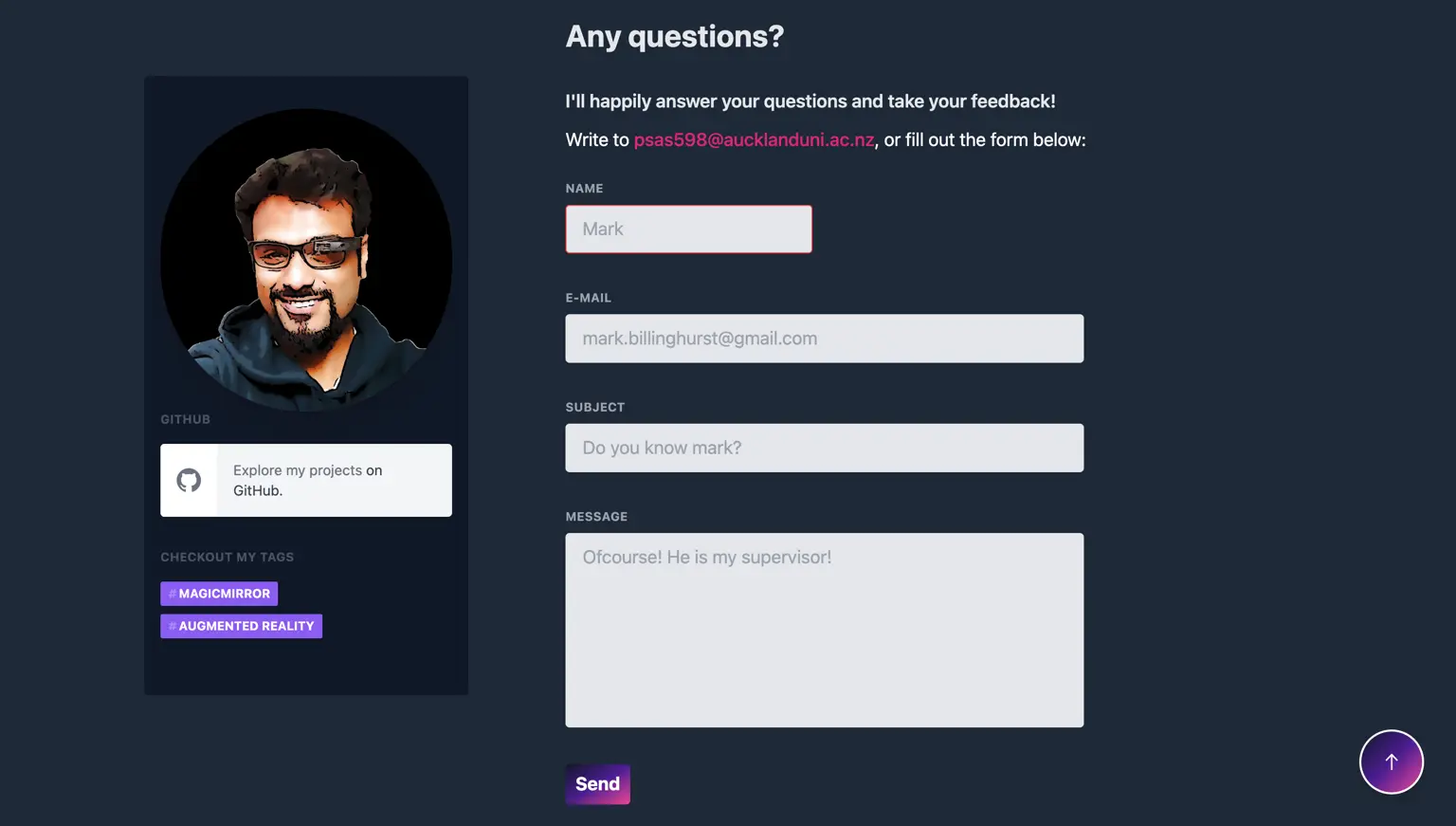
Let's look at setting up a contact form in a serverless architecture.
TL;DR
- Install the netlify-lambda package
- Add the scripts
netlify-lambda serve lambdaandnetlify-lambda build lambdatopackage.json - Create a netlify.toml with the right path to your functions
- Add the path of the function as a functions environment variable to your Nuxt config
- Create your function as a JavaScript file in your ./lambda folder, e.g., ./lambda/mail.js
- Export a handler method that receives event, context, and callback
- Make an AJAX call to process.env.functions+"/mail.js" in your Vue Component to call the function
Why Netlify functions?
If the website is generated as a static site, there are plenty of benefits, but one common downside is handling user input because there’s no server sitting behind the site. Many people default to a simple mailto: link to receive emails. That can work for a while, but it doesn’t give a reliable way to process form submissions, validate input, or manage message status. Without some server-side logic, form handling is limited.
That’s where Netlify Functions come in. They allow server-side code to run as JavaScript functions, which is exactly what’s needed here. While Netlify Functions work out of the box, some setup helps for local testing.
The package
First, install the netlify-lambda npm package via npm install netlify-lambda --save.
The scripts
Then add the commands to your npm scripts like so:
"scripts": {
    "build": "nuxt build",
    "dev": "set NODE_ENV=development && nuxt && yarn functions:serve",
    "start": "nuxt start",
    "generate": "set NODE_ENV=production && nuxt generate && yarn functions:build",
    "functions:serve": "netlify-lambda serve lambda",
    "functions:build": "netlify-lambda build lambda",
    "precommit": "npm run lint"
  },
The important parts are functions:serve to run a dev server for the functions and functions:build to prepare them for production. The lambda segment is the source folder for the functions. Also notice the dev command starts Nuxt and the functions dev server in parallel.
The config
To make everything work, define where those functions will be found. Create a netlify.toml and add:
[build]
  command = "yarn generate"
  publish = "dist"
  functions = "/.netlify/functions"
The publish directory is dist because that’s the default output when generating a static site. The functions path describes where built functions will land. Also add the functions base URL to nuxt.config.js so development and production use the correct endpoints:
env: {
    functions: process.env.NODE_ENV === 'production' ? `https://prasanthsasikumar.com/.netlify/functions` : 'http://localhost:9000',
  }
Creating a function
To create a function, create a file in the lambda folder, for example lambda/mail.js. Each function must expose a handler method which receives three arguments: event, context, and callback.
exports.handler = function(event, context, callback) {
}
The event contains information about what triggered the function. In this case the important field is event.body, which can be parsed as JSON via JSON.parse(event.body). The context contains request context (like identity information), and callback is used to send a response (success or error).
Creating a mail function
The use case here is submitting emails. To send email, a mail provider is needed. SendGrid is used here, but Postmark, Mailgun, or a custom mail server can also work. To use SendGrid, install their Node package via npm install --save @sendgrid/mail, then create lambda/mail.js and add the following:
const sgMail = require('@sendgrid/mail');
sgMail.setApiKey(xxxxxxxxxxxxxxxxxxxxxxxxxxxxxxxxxxxx);//sgMail.setApiKey('process.env.SENDGRID_API_KEY');
const headers = {
    "Access-Control-Allow-Origin" : "https://prasanthsasikumar.com", // better change this for production
    "Access-Control-Allow-Methods": "POST",
    "Access-Control-Allow-Headers": "Content-Type"
  };

  exports.handler = function(event, context, callback) {
    console.log(event.body)
    console.log(event.httpMethod)
    // only allow POST requests
    if (event.httpMethod !== "POST") {
      return callback(null, {
        statusCode: 410,
        body: JSON.stringify({
          message: 'Only POST requests allowed.',
        }),
      });
    }

    // parse the body to JSON so we can use it in JS
    const payload = JSON.parse(event.body);

    // validate the form
    if (
      !payload.name ||
      !payload.subject ||
      !payload.email ||
      !payload.message
    ) {
      return callback(null, {
        statusCode: 422,
        headers,
        body: JSON.stringify({
          message: 'Required information is missing.',
        }),
      });
    }
    var msg = {
        to: 'prasanth.sasikumar.psk@gmail.com',//Where I receive the notification
        from: 'psas598@aucklanduni.ac.nz',//email I used to register sendgrid
        subject: payload.email+' says : '+payload.subject,//This might not be the best method
        text: payload.message,
        html: '<strong>'+payload.message+'</strong>',
    };

    sgMail.send(msg).then(() => {}, error => {
        console.error(error);
        if (error.response) {
                console.error(error.response.body)
        }
    });

  }
The important lines are commented inline.
Calling the function in VueJS
To use the function you basically just have to make an Ajax call to your function and pass the right parameters. You can see an example of that in the code below. Pay special attention to the submitToServer method! It’s using the fetch API to make an Ajax call, will then use the data of the Vue component via JSON.stringify(this.contactForm) and return the response as a Promise so you can use this in the handleSubmit method.
<template lang="html">
  <div>
    <form @submit="handleSubmit">
      <input
        v-model="contactForm.name"
        name="name"
        type="text"
      >
      <input
        v-model="contactForm.email"
        name="email"
        type="text"
      >
      <input
        v-model="contactForm.subject"
        name="subject"
        type="text"
      >
      <textarea
        v-model="contactForm.message"
        name="message"
        cols="30"
        rows="10"
      />
      <button @click="handleSubmit">Submit</button>
    </form>
  </div>
</template>

<script>
export default {
  data() {
    return {
      contactForm: {
        name: '',
        email: '',
        subject: '',
        message: '',
      }
    }
  },
  methods: {
    submitToServer() {
      return new Promise((resolve, reject) => {
        fetch(`${process.env.functions}/mail`, {
          method: "POST",
          body: JSON.stringify(this.contactForm)
        }).then(response => {
          resolve(response);
        }).catch(err => {
          reject(err);
        });
      })
    },
    handleSubmit() {
      this.submitToServer().then(response => {
        const body = response.json();
        if (Number(response.status) !== 200) {
          console.log('Error submitting the form.')
        } else {
          console.log('Form was submitted!')
          this.$router.push('/contact/thank-you')
        }
      })
    },
  }
}
</script>