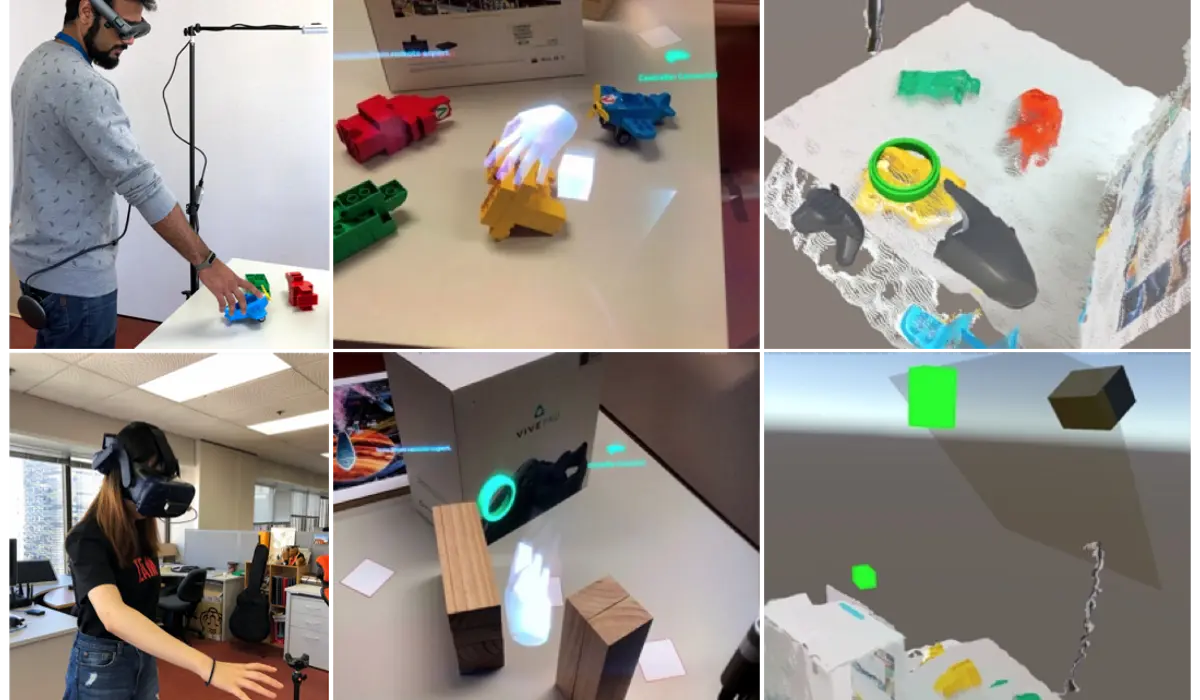
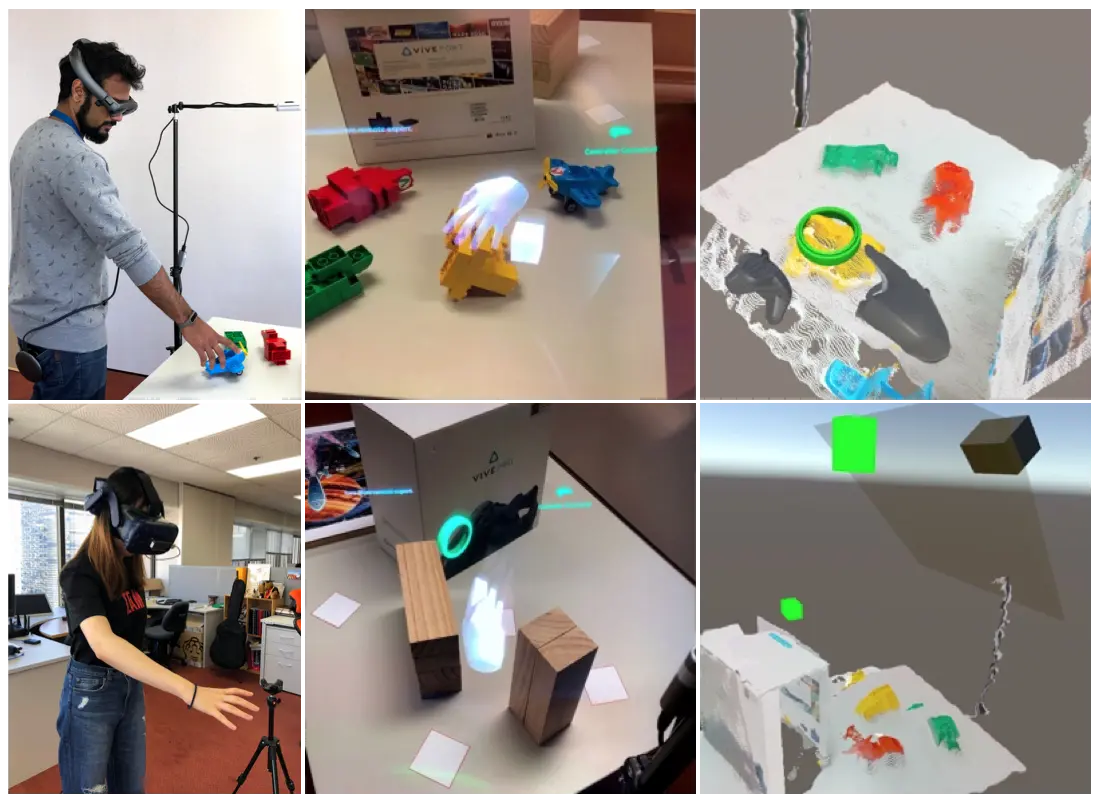
Four depth cameras stitching a live 3D model of a room, so a remote expert can walk around your workspace instead of watching video of it.
If you have ever tried to talk someone through a physical task over a video call, you know the failure mode. You point the camera at the thing. They say "no, the other one." You move the camera. They say "wait, go back." What you are both missing is not resolution. It is the ability to look somewhere the camera is not pointing.
That is the problem this series is about, and this is where it starts: my first system as a PhD student at the Auckland Bioengineering Institute, and the first of five attempts at the same question.
Reconstruct the room, do not stream it
The core decision was to stop sending pictures of the workspace and start sending the workspace.
Four Intel RealSense D435 depth cameras were placed around the local user's work area, all wired into one machine over USB 3.0. Each produces colour and depth frames. Those get converted to point clouds, and the point clouds get stitched into a single live 3D scene, which is streamed over a wired connection to a second machine driving the remote user's headset.
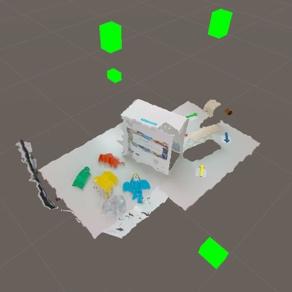
The difference this makes is not visual quality. Streamed video is much sharper than a stitched point cloud, and honestly the point cloud looks rough. The difference is that the remote expert has their own viewpoint. They can lean around the far side of the table without asking anyone to move a camera, and the scene updates live, so when something moves it moves for both of them.
The local user wore a Magic Leap One, an optical see-through AR headset, so they saw their real workspace with virtual cues drawn into it. The remote expert wore a Vive Pro in full VR with a Leap Motion sensor mounted on the front of the headset, standing inside the reconstruction of someone else's room with their hands tracked.
Two philosophies of pointing
With the channel working, the actual research question was what to send through it. We built two complete sets of cues and pitted them against each other.
The device-centric set is what most collaboration tools do. The local user shares their view frustum, a wireframe cone showing where they are looking, and the remote expert draws annotations with a controller. Precise, deliberate, mediated by hardware.
The user-centric set is what people do in person. The local user's eye gaze is shared as a green ring showing what they are actually looking at. The remote expert's hands are shared as a 3D mesh, so they point at things with a hand rather than a cursor.
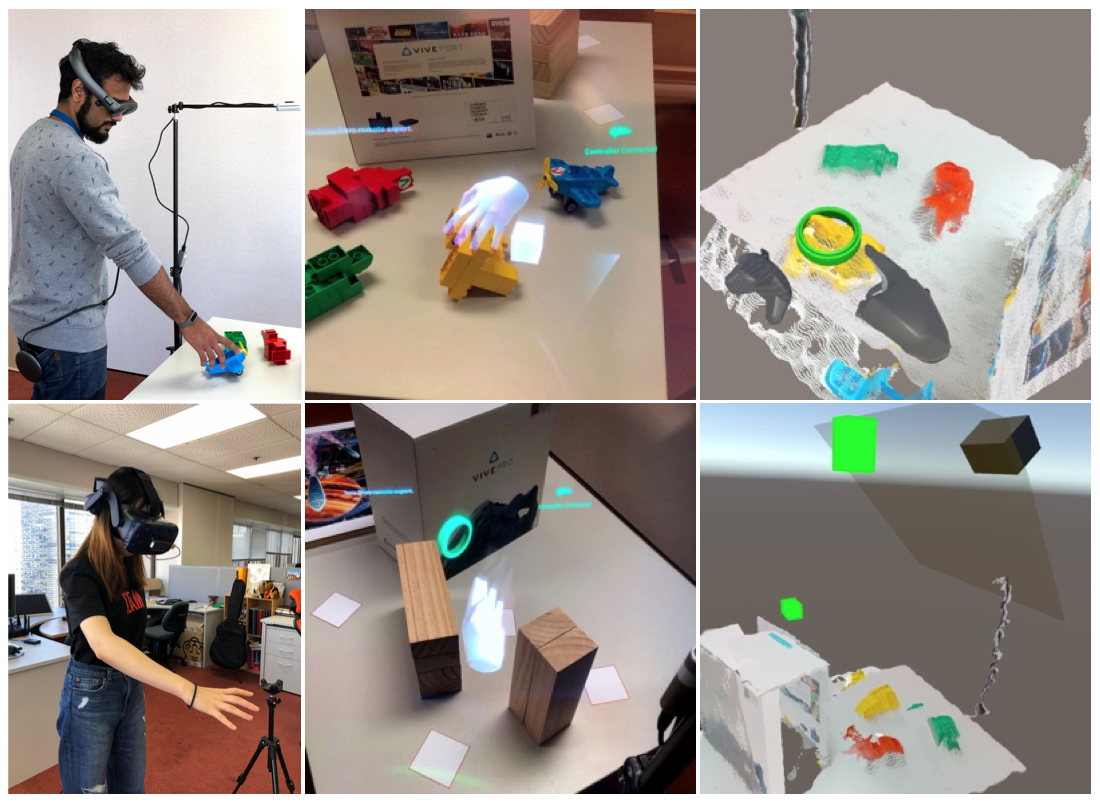
The task was deliberately fiddly: Lego blocks on one side of a workspace, white square tags on the other, with wood blocks and a large paper box in the middle to force occlusion. Each block carried a directional arrow, and each tag had a virtual coloured arrow floating above it. The local worker had to pick up a designated block, walk it across, and align its orientation to match, with the remote expert confirming. Target positions were randomised each trial so nobody could learn the layout.
The result I did not expect
Ten participants, within-subject, both conditions. On the numbers that usually decide these things, it was a draw. No significant difference in task completion time between the two cue sets, and none in co-presence or attention allocation.
Then we asked people which they preferred, and the answer split cleanly by role.
More than 70% of the local workers preferred the natural cues. Being pointed at by a hand beats being pointed at by a cursor when you are the one doing the physical work.
More than half of the remote experts preferred the device-centric set: controller annotations and the view frustum. When you are giving the instructions, an annotation you placed deliberately and that stays put is more useful than a hand that has to keep hovering in place.
That split is the finding I still think about. It is worth being precise about it, because an earlier version of this post claimed participants simply preferred natural cues. They did not. It depended entirely on which end of the call they were sitting at. The two people in a remote collaboration are not doing the same activity, so there is no reason to expect them to want the same interface.
The other measurable difference was physical: the local user was significantly more physically active than the remote expert. That sounds obvious until you consider it means fatigue accumulates asymmetrically over a long session.
What it did not solve
The reconstruction was room-scale but not large. The point cloud was noisy enough that flat surfaces came out slightly wavy. And the study was small, ten people, with mostly non-significant timing results, which is why the conclusion is about preference rather than performance.
The bigger gap was that we had compared cue sets, bundles of several things at once. That tells you which bundle people like, not which ingredient is doing the work. Answering that needed a much more careful study, which is the next post in this series.
The paper is Wearable RemoteFusion: A Mixed Reality Remote Collaboration System with Local Eye Gaze and Remote Hand Gesture Sharing, ISMAR-Adjunct 2019, with Lei Gao, Huidong Bai and Mark Billinghurst. There is a working video here.
Remote Collaboration: Which Cue Is Actually Doing the Work?